Desktop email for Windows, macOS and Linux

All your email.
One calm inbox.

Mail Works brings Gmail, Microsoft 365, Outlook.com and any IMAP mailbox together in one fast desktop app. Your mail stays on your computer, and trackers stay out.

  • No ads
  • No tracking
  • Passwords in your own keychain
The Mail Works inbox with folders, a message list and an open message

Works with

  • Gmail
  • Google Workspace
  • Microsoft 365
  • Outlook.com
  • iCloud Mail
  • Yahoo Mail
  • Fastmail
  • Your own domain

Why Mail Works

Everything you expect from a desktop mail app. Nothing you don't.

No sidebar of ads, no account to create with us, no inbox "experiences". Just your mail, quick to read and easy to answer.

One inbox for every account

See all your inboxes together, or one account at a time. Folders, stars and unread counts stay in step with your mail server.

Private by default

Images from the internet and tracking pixels stay blocked until you choose to load them. Scripts in email never run.

New mail, instantly

Push sync shows new messages the moment they arrive, with desktop notifications and an unread count on your taskbar or dock.

Undo send

Changed your mind? Take a message back for up to 30 seconds. Offline? It waits in the Outbox and sends itself later.

Find anything

Fast full-text search across everything on your computer, plus a server search for older mail.

Keyboard first

J and K to move, R to reply, E to archive. Every action has a shortcut, and pressing ? shows them all.

Privacy

Your inbox is not an advertising channel

Most marketing email carries invisible tracking pixels that report when, where and how often you read it. Mail Works holds them back.
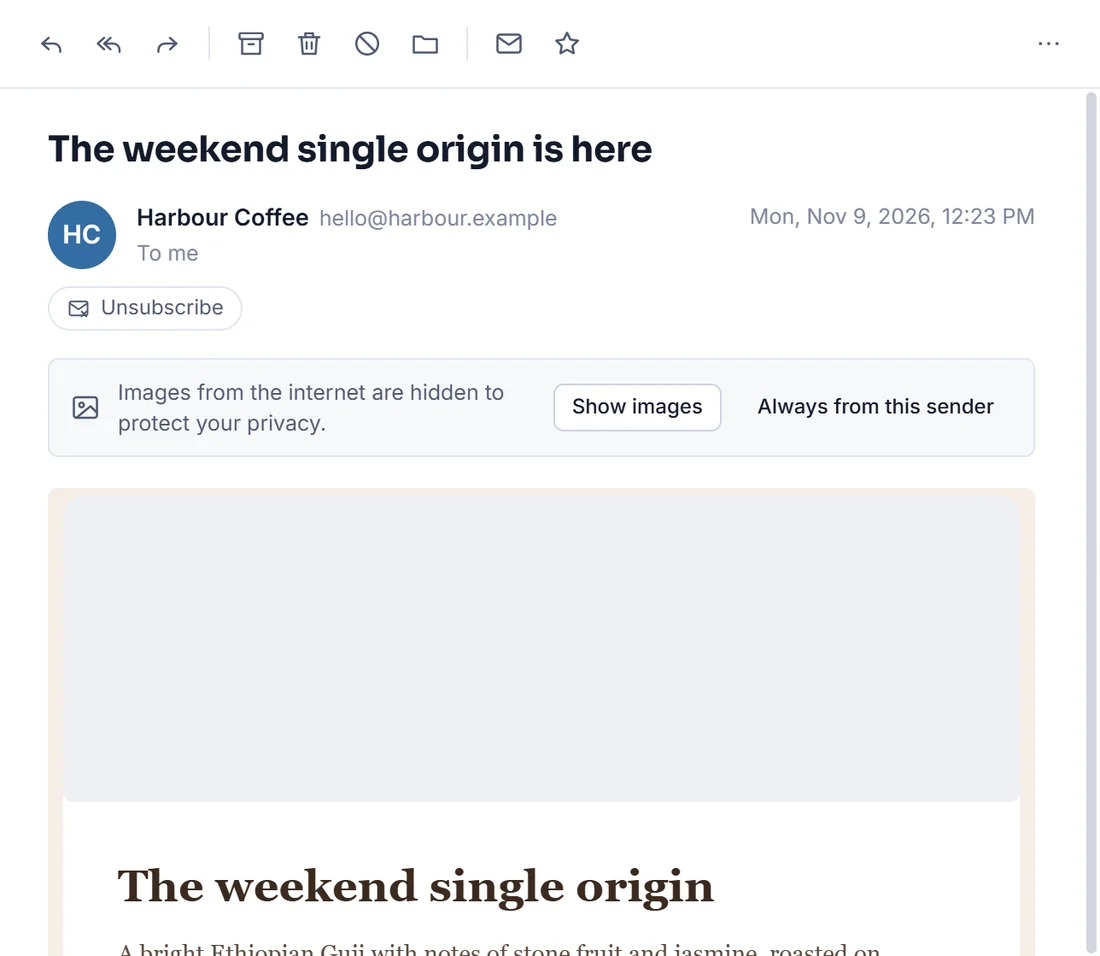
  • Remote images and tracking pixels wait until you choose to load them
  • Tracking cookies and referrers are stripped, even after you load images
  • Links open in your own browser, never inside the app
  • Only documents, photos and media open straight from an attachment
How Mail Works protects you
A newsletter in Mail Works with its images and tracking pixel held back

Writing

Write with confidence

A clean composer that stays out of your way, with the safety nets you wish every mail app had.
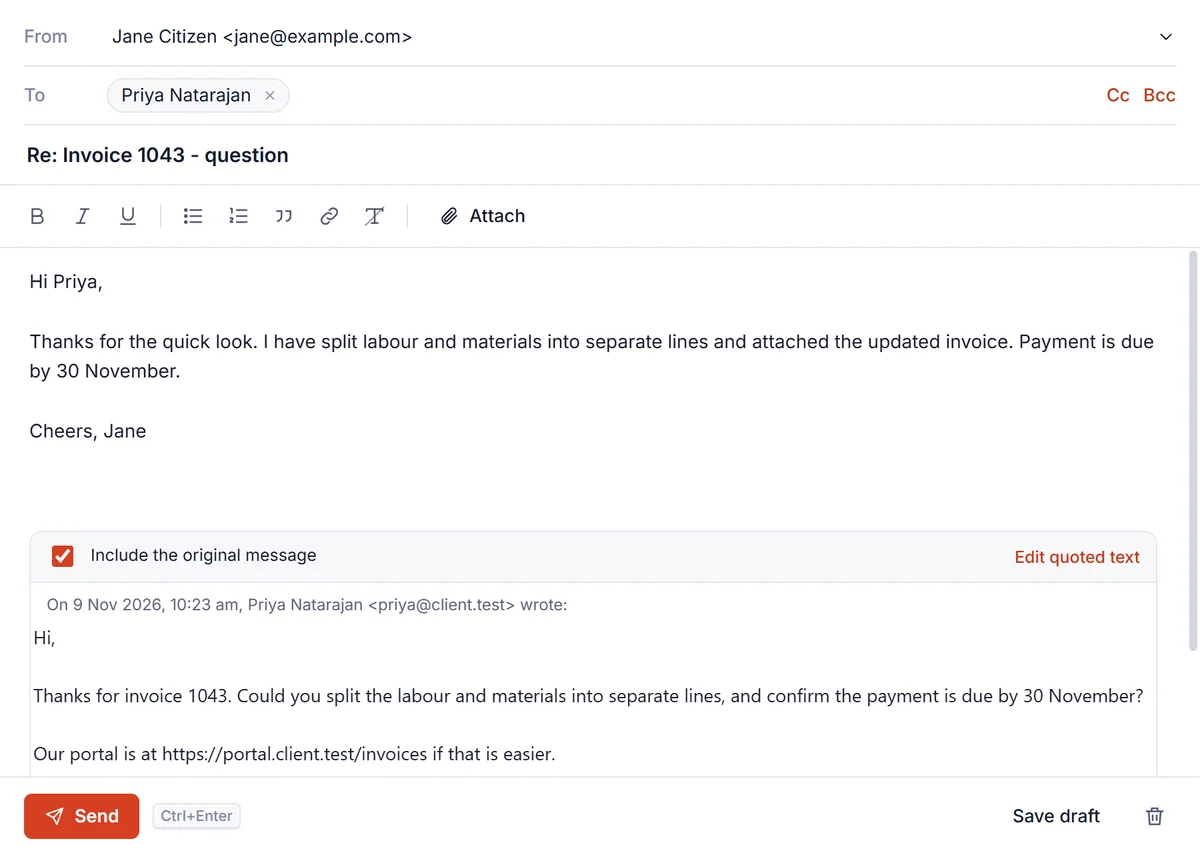
  • Undo send, plus an Outbox that retries when you are offline
  • Address suggestions from the people you actually email
  • Rich text, signatures and drag-and-drop attachments
  • Drafts saved to your mail server, so they follow you to your phone
  • A gentle check when you mention an attachment but forget it
Replying to a message in the Mail Works composer

Comfort

Easy on the eyes, day or night

Light, dark, or follow your system. Comfortable or compact. Clear type, generous spacing and a layout that adapts from a laptop to a big monitor.
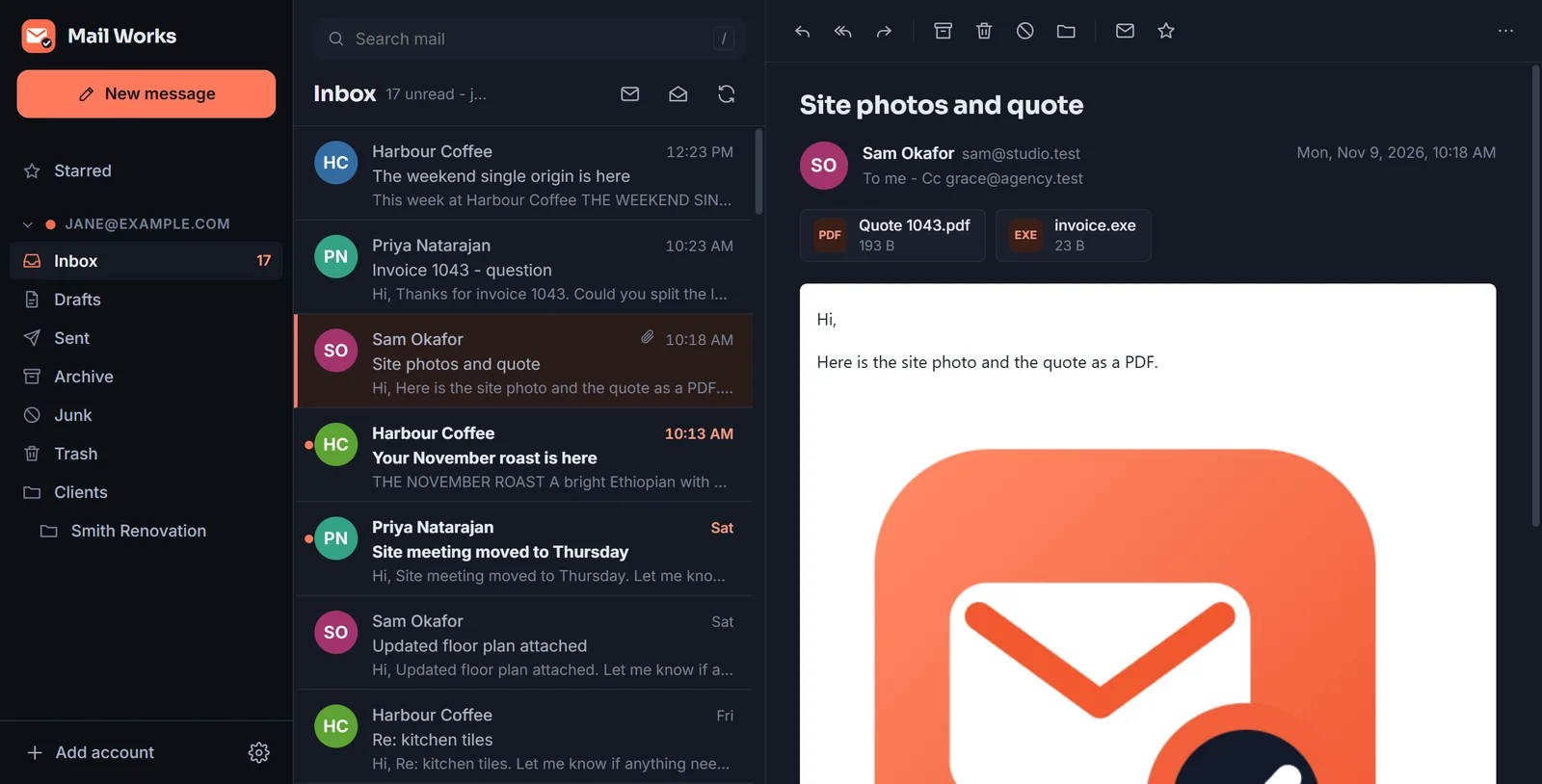
  • Unified inbox, starred view and an unread-only filter
  • Notifications, a tray icon and an unread badge
  • Print or save any message as a PDF
Mail Works in dark mode with an email and its attachments

Everywhere you work

One app for Windows, Mac and Linux

The same Mail Works, with the same shortcuts and settings, on every computer you use.

Windows

Windows 10 and 11, on Intel, AMD and ARM.

macOS

macOS 13 Ventura or later, on Apple silicon and Intel.

Linux

64-bit, as an AppImage for any distribution or a .deb for Ubuntu and Debian.

Optional

AI assist, on your terms

Summarise a long message or draft a reply from a one-line instruction, using Claude with your own Anthropic API key. It is off until you turn it on, and nothing is sent anywhere until you press the button.

Questions

Good to know

Which email accounts does Mail Works work with?

Gmail and Google Workspace, Microsoft 365, Outlook.com, Hotmail and Live, and any provider that offers IMAP - including iCloud Mail, Yahoo Mail, Fastmail and mailboxes on your own domain. You can add as many accounts as you like and see them in one inbox.

Where is my email stored?

With your email provider, as it is today, plus a copy in a database on your own computer so messages open instantly and you can read them offline. Mail Works has no servers of its own, so your mail never passes through us.

Does Mail Works read, scan or sell my email?

No. Mail Works has no servers, no analytics and no advertising, so there is nothing to scan or sell. The app talks directly to your mail provider. The only exception is the optional AI assist, which sends the message you ask about to Anthropic, using your own API key, only when you press the button.

All questions

Try Mail Works on your own inbox

Version 1.0.1 is free to download for Windows, macOS and Linux during early access.

Download Mail Works